
Your Prayer Times,
Always in Sight.
A native macOS menu bar app for accurate prayer times, beautiful Adzan alerts, real-time Qibla compass, and a complete offline 30-Juz Quran — all living quietly in your menu bar.

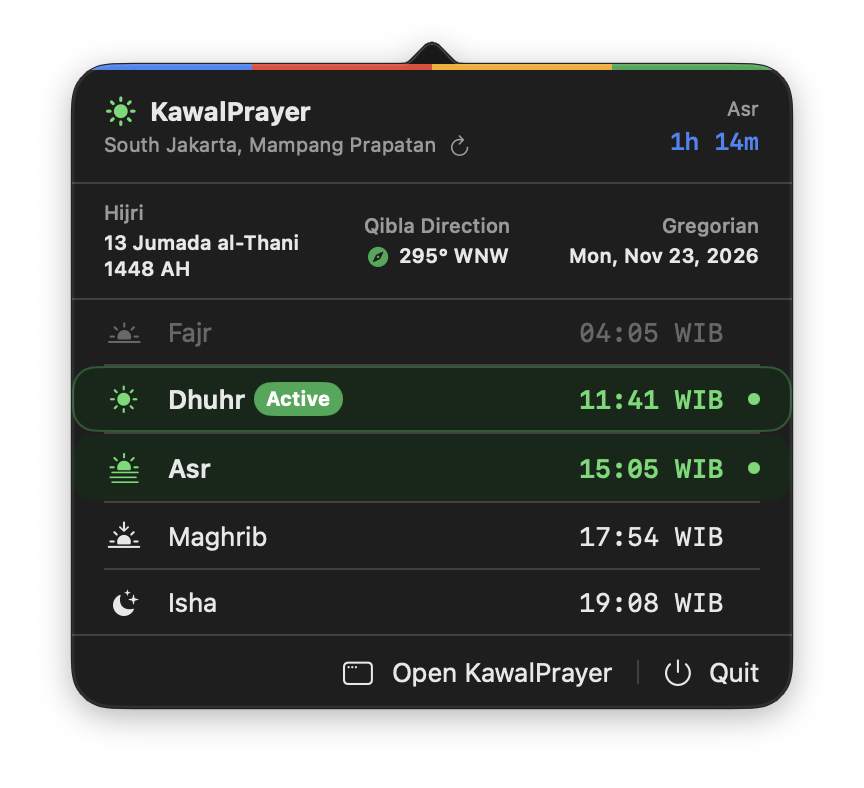 Live Menu Bar Countdown & Native Popover
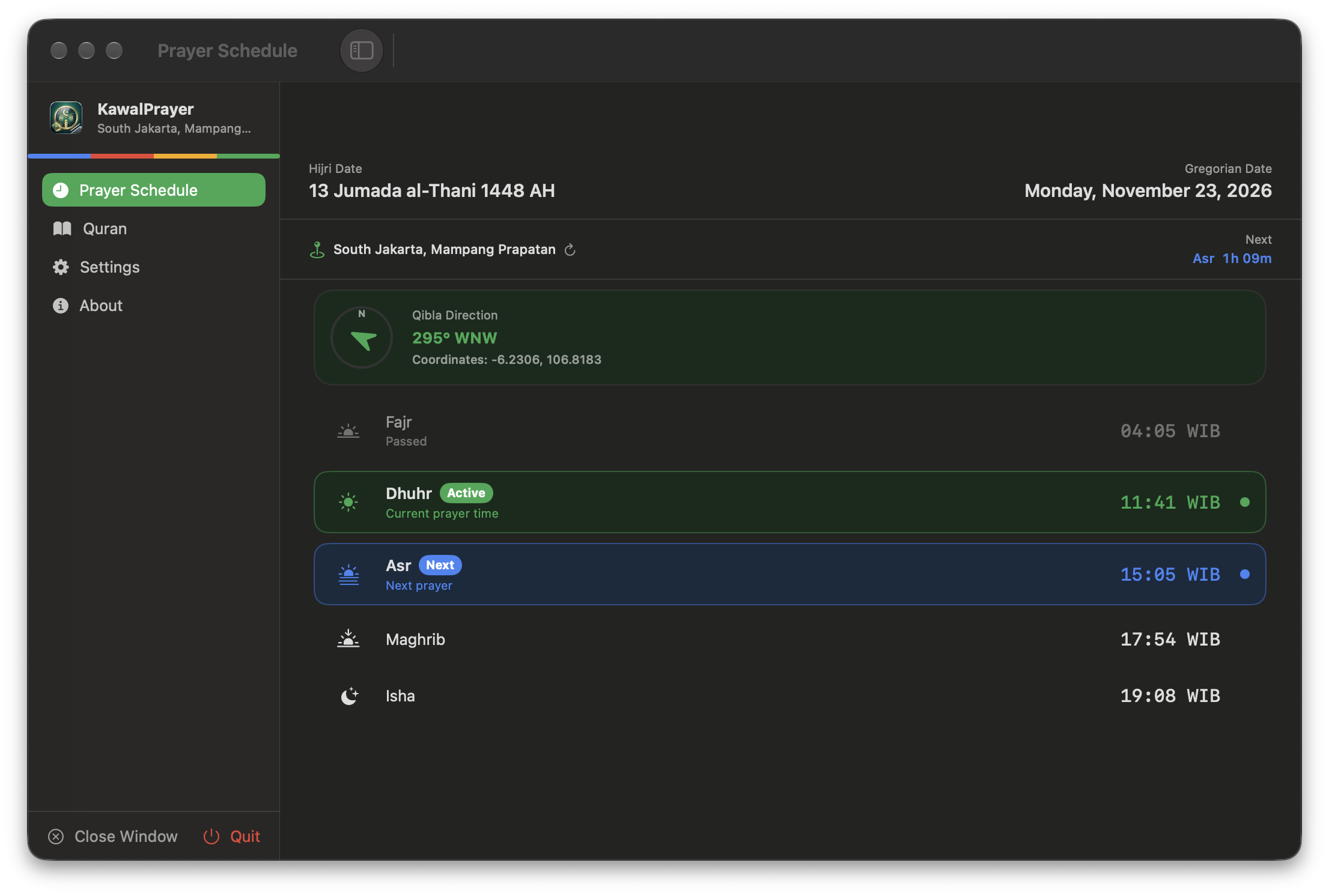 Prayer Schedule & Real-Time Qibla Compass
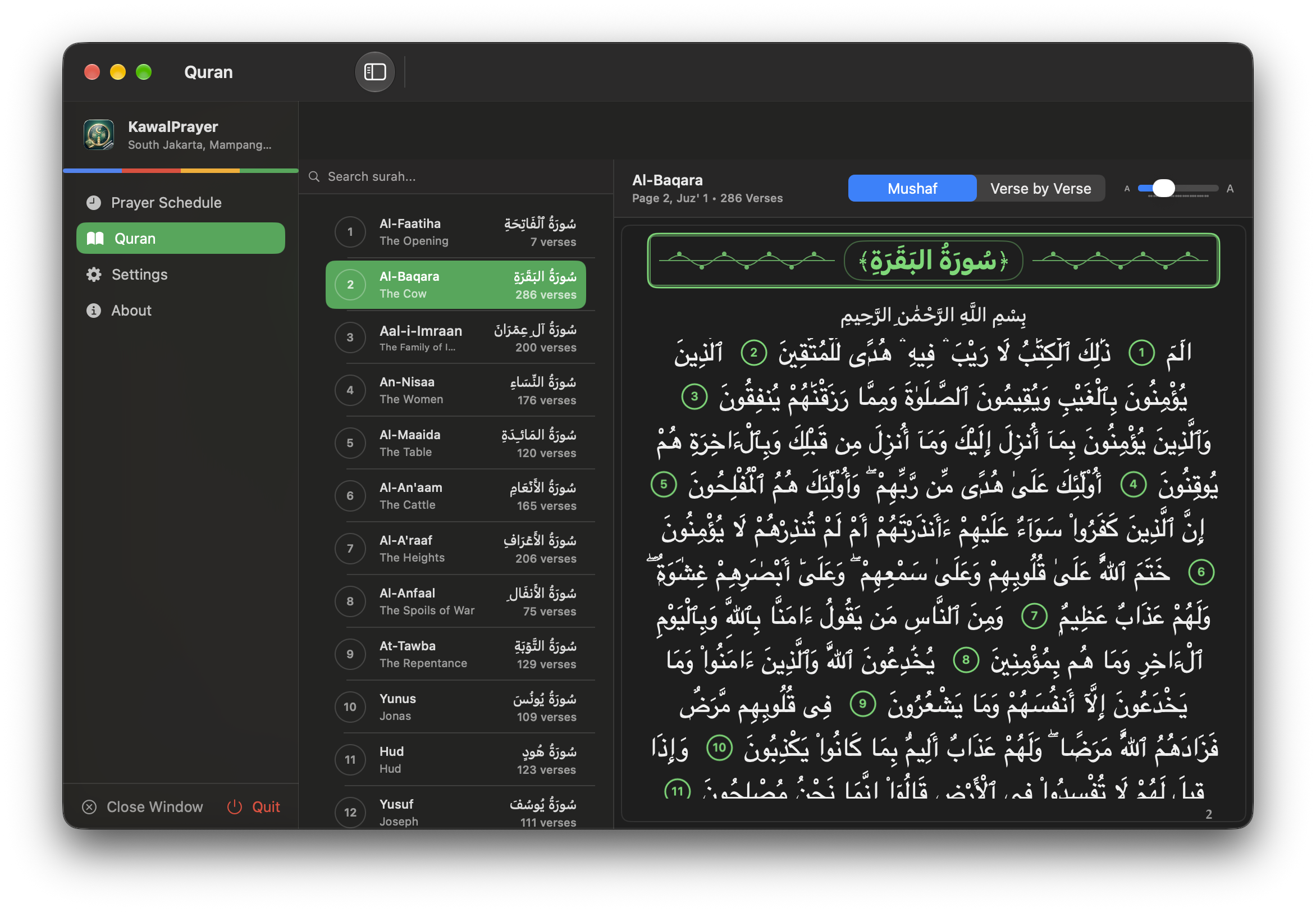 Complete Offline 30-Juz Quran (Madinah Mushaf)
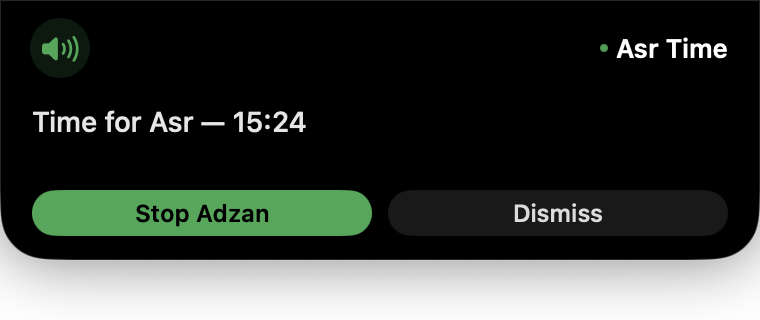 Dynamic Island & Notch Prayer Alerts
Everything you need,
right in your menu bar.
KawalPrayer runs silently in the background — no Dock icon, no ⌘Tab clutter. Just prayer times, always a click away.
Kemenag RI Accurate
Astronomical prayer time calculations following Indonesia's Ministry of Religious Affairs with +2 minute Ihtiyat safety margin. Supports MWL, ISNA, Umm al-Qura, and more.
Auto Location Detection
Low-power GPS with 3 km distance filter. Shows your city & district (e.g. "Central Jakarta, Gambir") with persistent caching for instant display on launch.
Dynamic Island Alerts
Sleek notch-hugging prayer alerts that expand from your Mac's notch. Non-intrusive yet impossible to miss, with Stop Adzan and Dismiss controls.
Auto Dua & Iqamah Timer
Post-Adzan dua pops up automatically with Arabic text, transliteration, and translation. Configurable Iqamah countdown (1–30 min) with notification.
Real-Time Qibla Compass
Great Circle spherical trigonometry for precise bearing to the Kaaba (21.4225° N, 39.8262° E). Visual compass with cardinal direction readout.
5 Menu Bar Formats
Choose between Icon + Name + Countdown, Icon + Countdown, Icon + Prayer Name, Icon + Prayer Time, or Icon Only. Dynamic icons match the current prayer.
Multi-Language
Full localization in Bahasa Indonesia, English, and Arabic with RTL support. Islamic Hijri calendar with configurable ±2 day offset.
Auto Updates
Built-in updater checks GitHub Releases automatically. Shows update banner in the menu bar popover with download progress and one-click install.
Highly Customizable
Theme selection (System/Light/Dark), per-prayer notification mute, Adzan audio choice (Makkah/Madinah), calculation method, madhab, and launch-at-login.
Complete 30-Juz
Quran. Offline.
All 114 Surahs and 6,236 Ayahs available without internet. Two reading modes: authentic Madinah Mushaf page layout with interactive circular ayah numbers, and Per-Ayah view with copy & bookmark.
- ✓ Authentic Madinah Mushaf calligraphy layout
- ✓ Tap-to-view Arabic translation pop-ups
- ✓ Adjustable Arabic font size (18–40pt)
- ✓ Bookmark system with quick navigation
- ✓ Fast search across all Surahs
Prayer alerts that
hug your notch.
When prayer time arrives, a sleek Dynamic Island-style alert expands from your Mac's notch. It shows the prayer name, time, and provides quick Stop Adzan and Dismiss controls — elegant and non-intrusive.
- ✓ Expands from the macOS notch seamlessly
- ✓ Makkah & Madinah Adzan audio recordings
- ✓ Volume control with live test preview
- ✓ Per-prayer notification mute controls
Your desktop content continues
undisturbed behind the alert.
Get KawalPrayer for free.
Download the latest release from GitHub. KawalPrayer is 100% free and open source under the MIT License.
1 Download from GitHub
- Go to the Latest Release page on GitHub.
- Under Assets, click on
KawalPrayer-v*.dmgto download the disk image. - Open the downloaded
.dmgfile. - Drag KawalPrayer.app into your
/Applicationsfolder.
2 Launch the App
- Open KawalPrayer from
/Applicationsor Spotlight (⌘ Space). - The app will appear in your menu bar (top-right of screen).
- Grant Location and Notification permissions when prompted.
- That's it! Prayer times update automatically based on your location.
Bypassing macOS Gatekeeper
KawalPrayer is ad-hoc signed without a paid Apple Developer ID. macOS Gatekeeper may block it on first launch. Here's how to allow it safely.
Try opening the app
Double-click KawalPrayer.app in /Applications. macOS will show a warning dialog saying "KawalPrayer cannot be opened because the developer cannot be verified". Click Done or Cancel — this registers the app with Gatekeeper.
Choose your method
Pick whichever approach you prefer:
- Open System Settings → Privacy & Security.
- Scroll down to the Security section.
- You'll see a message about KawalPrayer being blocked.
- Click "Open Anyway".
- Enter your password or use Touch ID to confirm.
- Click "Open" on the final confirmation dialog.
Run this command in Terminal to clear the macOS quarantine attribute:
Then open KawalPrayer.app normally from /Applications or Spotlight.
You're all set! 🎉
KawalPrayer will now launch normally. Look for the prayer icon in your menu bar (top-right corner). The app only needs to bypass Gatekeeper once — subsequent launches will work without any extra steps.
Native. Fast. Lightweight.
Built with Apple's latest technologies for the best macOS experience. No Electron, no web views — pure native performance.